
Your video audio sounds bad and I bet the camera is the last thing to blame. Nine times out of ten the problem is where the mic sits, how far away it is, or how the room sounds, not the gear you paid for. You can fix muffled, hissy, and too-quiet sound today with moves that cost nothing, plus two budget mics under $70.
| Aspect | Key Takeaway |
|---|---|
| Why audio fails | Distance and room echo ruin more takes than bad microphones |
| Free fix | Move the mic closer and kill reflective surfaces before spending anything |
| Post fix | DaVinci Resolve’s free denoise tool saves hissy and clipped tracks |
| Best budget lav | The BOYA BY-M1 delivers clean interview sound for about $15 |
| Best budget shotgun | The Rode VideoMicro fixes run-and-gun voice for about $66 |
| Bottom line | Great sound comes from placement and a $15 mic, not a $2,000 rig |
Why Is My Video Audio Bad? The Three Root Causes
So why is my video audio bad? It comes down to three causes, and none of them is the camera. The mic is too far away, the room is too live, or the levels are set wrong. I have killed more takes to these three problems than to every broken lens and dead battery combined.
I shot a client interview last spring where the image looked perfect and the audio came back sounding like the person was talking from down a hallway. I blamed the camera for an hour before I realized the mic was six feet away on a tripod while my subject sat in a big, empty office. The camera was fine, and my placement was the problem.
Fix #1 (Free): Move the Mic Closer and Fix the Room
The single biggest upgrade to your video audio costs zero dollars: get the microphone closer to the mouth. Every extra foot adds room tone, echo, and a hollow quality that editing cannot remove. A cheap mic six inches away beats an expensive one six feet away every time.
On a run-and-gun promo shoot for a moving company, the shotgun audio came back as nothing but rumble and wind. I stopped, clipped a cheap lav to one guy’s collar, and re-shot. The difference was night and day, and I did not change a single setting.
For the room, think about sound the way you think about light bouncing off a wall. Bare rooms bounce audio around like a racquetball court. Hang a blanket, a rug, or a coat behind your subject and the echo dies fast.
Fix #2 (Free in Post): Clean It Up in DaVinci Resolve
If the take is already in the can and it is hissy or clipped, DaVinci Resolve’s free Fairlight page can save a surprising amount of it. The Voice Isolation tool strips out room tone and hiss with one click, and the denoise effect takes care of the rest. I use it on nearly every interview before I touch color.
I rescued a wedding reception speech recorded on a phone across the table, all clinking glasses and crowd noise. A pass of Voice Isolation and a gentle denoise pulled the toast out clean enough to use. That tool lives in the free version of Resolve, no plugins, no paywall.
Post can fix a lot, but it cannot fix a mic that is ten feet away. Record as clean as you can on the day and treat post as a polish. Our guide to DaVinci Resolve 21 walks through the whole free workflow.
Fix #3 (~$15): A Cheap Lav for Interviews
If you shoot interviews or talking-head videos, the single best value in audio is a wired lavalier clipped to the collar. The BOYA BY-M1 costs about $15, runs on one battery, and plugs straight into your camera or phone. It is the cheapest real fix I have found for the number one beginner audio complaint.
I bought my first one for a client interview I did not trust the room for. I clipped it to the subject’s collar, hid the cable, and got clean audio the room itself could not touch. The shotgun stayed in the bag.
The tradeoff is that a wired lav shows up in a wide shot unless you hide it, and the plastic clip breaks if you drop it. Buy two. At $15 each they are cheap enough to keep one in the bag as a spare, which I have needed more than once.
Fix #4 (~$66): A Shotgun Mic for Run-and-Gun
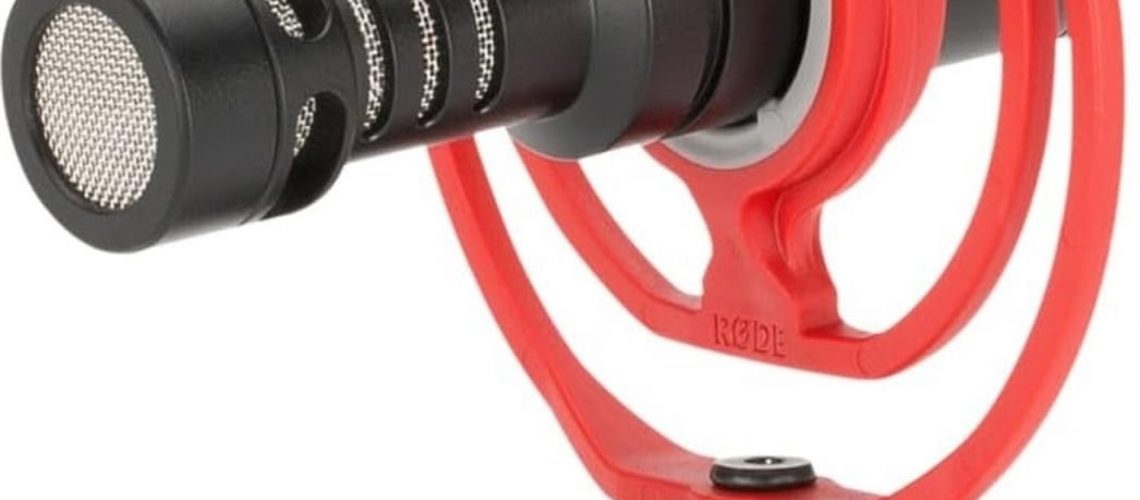
For walk-and-talk, vlogging, or run-and-gun work where you cannot clip a lav, a compact shotgun on the camera is the answer. The Rode VideoMicro runs about $66, needs no battery, and points at whatever the camera points at while rejecting the noise around it. It is the classic budget upgrade for a reason.
I use mine on fast-moving client promos where I am moving and talking at the same time. The shotgun captures my voice clearly while the wind and street noise stay out, and because it needs no power I never have to check a battery before a shoot. One less thing to forget.
What they do not tell you is that a shotgun still needs to be close, reaching maybe two to three feet of good pickup. It is not a replacement for a lav when someone sits across a desk. Use the shotgun when you move, and the lav when your subject sits still.
If you are building an audio kit from scratch, our list of the best audio gear for video under $100 covers both mics plus the cheap accessories that matter. Both picks in this guide live on that list if you want to compare them side by side.
A Quick Audio Checklist Before You Hit Record
Before every take, run the same five-second check I do and you will catch most audio problems before they hit the timeline. Confirm the mic is plugged into the right input, then check that levels peak near the middle and never clip into the red. Move the mic as close as the shot allows, and kill any hard surface behind the subject.
Put on headphones and listen for two full seconds before you roll the final take. If it sounds good to you in the moment, it will sound good to your viewer. That habit has saved me more times than any single piece of gear.
The whole series works the same way for the other classic frustrations. If your footage is soft, the fix in why my video is blurry applies to focus the same way this does to sound. And why your video looks yellow covers the white balance side of the same story.
Frequently Asked Questions
Why does my video audio sound muffled?
Muffled audio is almost always a distance problem. The mic is too far from the speaker, so the room tone and echo bury the voice. Move the mic closer, ideally within a foot, and the muffled quality disappears.
How do I remove background noise from my video for free?
DaVinci Resolve’s free version has a Voice Isolation tool that strips out room tone and hiss in one click. Pair it with a gentle denoise effect and most background noise disappears without buying anything.
Do I need an external microphone for good video audio?
Yes, for anything beyond casual vlogging. The built-in camera mic is too far from the subject and picks up everything in the room. A $15 lavalier or a $66 shotgun fixes the majority of beginner audio problems.
Is the BOYA BY-M1 any good?
It is the best value in budget audio. For about $15 it delivers clean, usable interview sound straight into your camera or phone. The plastic clip is the weak point, which is why I recommend buying two.
Why is my video audio quiet even when I turn the volume up?
Quiet audio means you recorded the levels too low. Aim for peaks around the middle of your meter, not the bottom. If it is already recorded quiet, normalize the clip in your editor before you add any effects.
Can I fix bad audio in editing?
Yes, but only up to a point. Editing can remove hiss and room tone and can boost a quiet track, but it cannot fix a mic that was ten feet away or a take that clipped badly. Record as clean as you can on the day.
The Move: Fix One Take Today
Pick your next shoot and apply just the free fixes before you spend a dime. Move the mic closer, deaden the room, and check your levels with headphones. You will hear the difference on the first take.
I remember walking onto a run-and-gun set with nothing but a rented camera, a cheap lav, and a handful of clips, and the audio came back cleaner than jobs recorded on rigs three times the price. The difference was never the kit. It was getting the mic close, killing the echo, and trusting the tools I already had. Now go record something.
Some links in this post are affiliate links. If you buy through them, I may earn a small commission at no extra cost to you. Helps keep the lights on around here. Thanks, Mark.