
I’ve been watching virtual production from the sidelines for a while now. The promise is huge — block your shots, test your lighting, run your camera moves — all before you step on set. But for most indie filmmakers I know, the barrier has always been the same: the tools in the virtual world don’t behave like the tools in the real one. You’re guessing. Approximating. Crossing your fingers that what looked right in Unreal Engine will actually work with real gear.
| Aspect | Key Takeaway |
| What It Is | A free-trial Unreal Engine 5 plugin that lets you control virtual ARRI lights and cameras with real ARRI data |
| Why It Matters | Your previs lighting and camera moves now match on-set reality — no more guesswork |
| Who It’s For | DPs, gaffers, and indie filmmakers running virtual production stages |
| Key Feature | ARRI Virtual Fixtures with real photometric data |
| Availability | Free trial; commercial pricing TBA |
Why This Matters for Indie Filmmakers
Let me break this down practically. If you’re a DP shooting a micro-budget feature and you’re using Unreal Engine for previs or virtual production, your current workflow probably looks like this: you place a generic point light in UE5, guess at the intensity and color, and hope it translates when the gaffer shows up with real SkyPanels on the day.
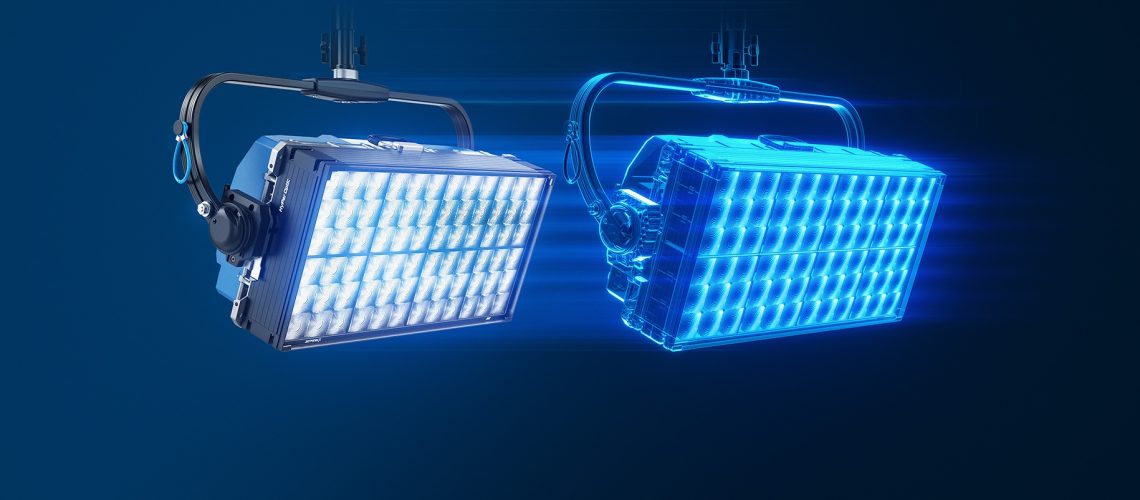
ARRI LUKA changes that equation. It gives you a catalog of actual ARRI luminaires — SkyPanel S60, Orbiter, and more — with accurate photometric data baked in. The light you place in Unreal will behave like the real fixture. Same color temperature range. Same beam spread. Same intensity curve. When your virtual gaffer says “bring in an Orbiter at 4200K with a full grid,” the real light on set matches.
What LUKA Actually Does
The plugin is deceptively simple. Install it in Unreal Engine 5, and you get two core tool sets.
ARRI Lighting Tools
The lighting side includes a full catalog of ARRI luminaires — SkyPanels, Orbiter, and accessories like diffusion frames, bounce cards, and flags. Each virtual fixture uses ARRI’s own photometric data for accurate color temperature, intensity, and light distribution. You can attach barn doors, snoots, softboxes. The shadows cast by virtual flags and nets match the real thing because the plugin knows the actual geometry and light spread of each accessory.
If you’re running a physical LED wall or lighting network, LUKA integrates via Art-Net and sACN protocols. That means your virtual lighting setup can talk to your real console. Change a light in Unreal, and the real fixture follows. Or the other way around.
ARRI Camera Tools
The camera side emulates ARRI cameras — their sensors, recording formats, and lenses. You get lens properties like focal length, focus distance, T-stop, and depth of field. If you’re storyboarding a shot with an Alexa 35 and a Supremes prime at T2.8, LUKA will show you what that actually looks like in your virtual environment.
This is huge for previs. You can block a Steadicam move through a virtual set and know exactly what the lens sees, at what stop, with what falloff. The shot list you hand to the 1st AC on day one is the shot you already rehearsed in Unreal.
How It Fits Into the Unreal Engine Ecosystem
UE5 already has a solid virtual production toolkit — the In-Camera VFX workflow, nDisplay, the DMX plugin for lighting control, the Movie Render Queue for output. LUKA slots in at the fixture-and-camera level. It doesn’t replace any of those tools; it makes them more useful by injecting real ARRI data into the pipeline.
If you’ve used ARRI’s own lighting control software, the interface will feel familiar. The plugin respects the same fixture naming, the same control paradigms. This matters when you’re running parallel workflows — a gaffer on a lighting console and a virtual production supervisor in Unreal both speaking the same language.
Real-World: Who Benefits Most
If you’re a wedding filmmaker running a small LED panel on a C-stand, LUKA is probably overkill. This tool is built for people who are already working in virtual production, previs, or real-time rendering pipelines. That said, there are a few scenarios where it makes sense at lower budget levels.
If you’re a DP shooting a music video with an LED volume wall, LUKA means you can pre-light the virtual environment before the shoot day. That’s billable time saved. If you’re an indie director doing location previs for a narrative project, LUKA means your virtual scout is also your lighting scout. You walk on set knowing exactly where the key light goes.
And if you’re a film student building a virtual production reel, having accurate ARRI data in your scene files makes your work look like a real production, not a game engine demo. That matters for your showreel.
Price and Availability
ARRI LUKA is available now as a free trial from ARRI’s website. Commercial pricing has not been announced yet, but given ARRI’s recent acquisition by the Riedel Group, the fact that they’re launching new products at this pace is a good sign for the tool’s long-term support.
What I’d Want to Test Before Buying
Full disclosure: I haven’t run LUKA on my own rig yet, so here’s what I’d want to kick the tires on before committing to a commercial license. First, performance overhead. The plugin has to compute photometric data in real time while Unreal is already doing heavy rendering work. I want to see how it performs on a typical indie filmmaker’s workstation — not a dedicated render farm. Second, how the Art-Net bridge handles latency between virtual and real fixtures. Flashing lights on a volume wall is one thing; finessed key-to-fill ratios at 5600K is another. If the protocol handoff introduces a half-stop delay, that changes the workflow.
For more context, No Film School had the first deep dive on this when the announcement dropped, and Newsshooter covered the camera-side features in detail.
Specs at a Glance
Platform: Unreal Engine 5
Lighting Fixtures: SkyPanel S60, Orbiter, full ARRI catalog
Accessories: Barndoors, snoots, softboxes, diffusion, flags
Camera Emulation: ARRI Alexa series with T-stop, DOF, focus
Network Protocols: Art-Net, sACN
Pricing: Free trial; commercial TBA
Frequently Asked Questions
Does LUKA work with Unreal Engine 4?
ARRI has launched LUKA for UE5. UE4 support hasn’t been announced, but given UE5’s dominance in virtual production, I wouldn’t expect a backport.
Can I use LUKA without owning real ARRI gear?
Yes. The plugin works entirely inside Unreal Engine. You don’t need physical fixtures. The benefit is that if you do own ARRI gear, the virtual and real worlds are calibrated to each other.
Is this replacing ARRI’s existing lighting control software?
No. LUKA is an add-on for Unreal Engine virtual production workflows. It’s meant to sit alongside your existing control software.
Full disclosure: This article is based on ARRI’s press announcement and the No Film School coverage. I haven’t tested LUKA in production yet. If I get hands-on time, I’ll update this with real-world performance numbers.
ARRI is showing good momentum post-acquisition, and LUKA is the kind of tool that makes virtual production more practical for working filmmakers — not just the ones with volume stages and full-time technical supervisors. If you’re already working in Unreal Engine, it’s worth a download.