
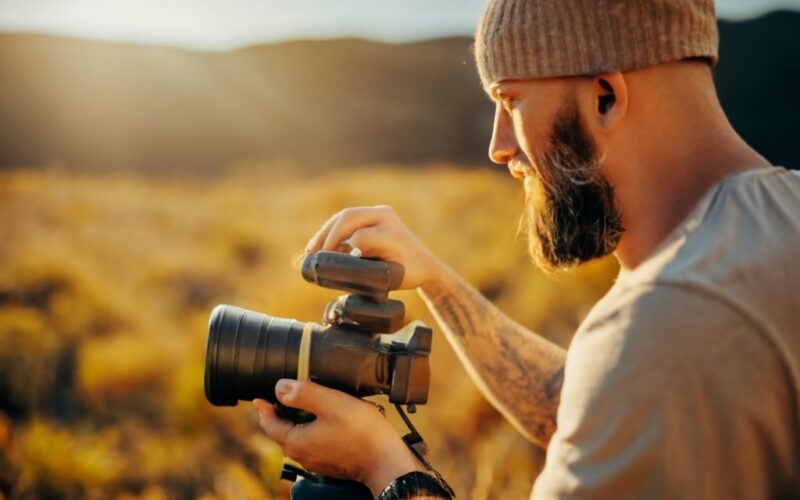
Video Lighting Techniques: How to Make Your Videos Look Professional and Engaging
Introduction
Video lighting is an essential element of video production that can enhance the quality, mood, and message of your videos. Whether you are making videos for personal or professional purposes, you need to pay attention to how you use light in your shots.
Lighting can affect how your videos look in terms of brightness, contrast, color, depth, and texture. It can also affect how your videos feel in terms of emotion, atmosphere, tone, and style. Lighting can make your videos more appealing, engaging, and effective.
In this article, you will learn about the different types of video lighting sources and how they can be used for different purposes and effects. You will also learn about the different video lighting setups and how they can create different levels of contrast, depth, and drama in your videos. You will also learn about the factors that you need to consider when choosing the best video lighting for your videos. You will also learn about the tools and techniques that you can use to improve your video lighting quality and impact.
By the end of this article, you will have a better understanding of video lighting techniques and how to apply them to your own videos. You will be able to make your videos look professional and engaging with the right use of light.
Key Takeaways
| Video Lighting | What is it? | Why is it important? |
|---|---|---|
| Natural lighting | Lighting from the sun or the moon that can create a realistic and natural look for your videos. | It can also vary depending on the weather, time of day, and season. |
| Artificial lighting | Lighting from lamps, bulbs, or LEDs that can create a controlled and consistent look for your videos. | It can also be adjusted to suit your needs and preferences. |
| Practical lighting | Lighting from an object, like a lamp or candle, in the scene itself that can create a realistic and immersive look for your videos. | It can also add some interest and depth to your shots. |
| Motivated lighting | Enhanced light from a scene object that can create a dramatic and expressive look for your videos. | It can also emphasize the mood and emotion of your scenes. |
| Three-point lighting | A popular and basic video lighting setup that consists of three lights: a key light, a fill light, and a backlight. | It can create a balanced and flattering look for your subjects by reducing shadows and creating separation from the background. |
| Two-point lighting | A simple and versatile video lighting setup that consists of two lights: a key light and a fill light. | It can create a low-key and dramatic look for your subjects by creating more shadows and contrast. |
| Four-point lighting | An advanced and complex video lighting setup that consists of four lights: a key light, a fill light, a backlight, and a background light. | It can create a high-key and bright look for your subjects by eliminating shadows and creating a uniform background. |
| Loop lighting | A creative and artistic video lighting setup that consists of one light placed above and slightly to the side of your subject. | It can create a distinctive loop-shaped shadow under the nose of your subject that can add some character and personality to your shots. |
| Reflectors | Tools that bounce or redirect light from one source to another. | They can be used to fill in shadows, soften harsh light, or create highlights on your subjects or objects. |
| Diffusers | Tools that scatter or soften light from one source. | They can be used to reduce glare, create a softer look, or create a more even light distribution on your subjects or objects. |
| Filters | Tools that modify or change the color or intensity of light from one source. | They can be used to correct color casts, create mood effects, or enhance contrast on your subjects or objects. |
| Color temperature | A measure of how warm or cool a light source is. It is measured in Kelvin (K) and can affect the color and mood of your videos. | You can adjust the color temperature of your light sources or your camera settings to achieve the desired look. |
| Exposure | A measure of how bright or dark a video is. It is determined by three factors: aperture, shutter speed, and ISO. | You can adjust the exposure of your camera settings to achieve the optimal balance of light and detail in your videos. |
| White balance | A measure of how accurate the colors in a video are. It is affected by the color temperature of the light sources and can cause color casts or shifts in your videos. | You can adjust the white balance of your camera settings or use a gray card to achieve the correct color rendition in your videos. |
Types of Video Lighting
There are different types of video lighting sources that you can use for your videos. Each type has its own advantages and disadvantages depending on what you want to achieve with your videos.
Natural Lighting
Natural lighting is lighting from the sun or the moon that can create a realistic and natural look for your videos. It is the most common and accessible type of video lighting source that you can use. It can also vary depending on the weather, time of day, and season, which can create different effects and moods for your videos.
Some of the benefits of using natural lighting are:
- It is free and easy to use. You don’t need to buy or set up any equipment to use natural lighting. You just need to find a good location and time to shoot your videos.
- It is versatile and adaptable. You can use natural lighting for different types of videos, such as documentaries, interviews, vlogs, or travel videos. You can also adapt to the changing conditions of natural lighting by adjusting your camera settings or using some tools to modify the light.
- It is realistic and authentic. Natural lighting can make your videos look more believable and relatable to your audience. It can also capture the beauty and diversity of nature in your videos.
Some of the challenges of using natural lighting are:
- It is unpredictable and uncontrollable. You cannot control the intensity, direction, or color of natural lighting. You have to deal with the weather, clouds, shadows, or reflections that can affect your video lighting. You also have to plan your shoot around the sunrise, sunset, or moon phases that can affect your video lighting.
- It is limited and inconsistent. You can only use natural lighting during certain hours of the day or night. You also have to deal with the variations of natural lighting throughout the day or night. You may have to reshoot some scenes or edit some shots to match the consistency of your video lighting.
Artificial Lighting
Artificial lighting is lighting from lamps, bulbs, or LEDs that can create a controlled and consistent look for your videos. It is the most common and flexible type of video lighting source that you can use. It can also be adjusted to suit your needs and preferences for your videos.
Some of the benefits of using artificial lighting are:
- It is predictable and controllable. You can control the intensity, direction, and color of artificial lighting. You can also create different effects and moods with artificial lighting by changing the position, angle, or distance of the light sources. You can also use different types of artificial lights, such as tungsten, fluorescent, or LED lights, for different purposes and effects.
- It is unlimited and consistent. You can use artificial lighting at any time of the day or night. You can also use artificial lighting for long periods of time without worrying about the changes or variations of the light sources. You can also maintain the consistency of your video lighting throughout your shoot or edit.
Some of the challenges of using artificial lighting are:
- It is expensive and complicated to use. You need to buy or rent some equipment to use artificial lighting. You also need to set up and operate the equipment properly to get the best results. You may also need some skills and knowledge to use artificial lighting effectively and safely.
- It is unnatural and artificial. Artificial lighting can make your videos look less realistic and authentic to your audience. It can also create some problems, such as glare, flicker, noise, or heat, that can affect your video quality and comfort.
Practical Lighting
Practical lighting is lighting from an object, like a lamp or candle, in the scene itself that can create a realistic and immersive look for your videos. It is a type of video lighting source that you can use to add some interest and depth to your shots.
Some of the benefits of using practical lighting are:
- It is simple and convenient to use. You don’t need to buy or set up any extra equipment to use practical lighting. You just need to find some objects that emit light in your scene and use them as part of your video composition.
- It is realistic and immersive. Practical lighting can make your videos look more believable and engaging to your audience. It can also create a sense of place and atmosphere in your videos by showing some details and textures of your scene.
Some of the challenges of using practical lighting are:
- It is weak and insufficient. Practical lighting may not provide enough light for your videos, especially if you are shooting in low-light conditions. You may need to supplement practical lighting with some other types of video lighting sources to get enough exposure and detail in your videos.
- It is limited and fixed. Practical lighting may not be suitable for every type of video or scene that you want to shoot. You may not be able to move or adjust practical lighting easily without affecting your video composition or continuity.
Motivated Lighting
Motivated lighting is enhanced light from a scene object that can create a dramatic and expressive look for your videos. It is a type of video lighting source that you can use to emphasize the mood and emotion of your scenes.
Some of the benefits of using motivated lighting are:
- It is creative and artistic. Motivated lighting allows you to use light as a storytelling tool in your videos. You can use motivated lighting to create contrast, focus,
symbolism, or emotion in your videos with motivated lighting. You can also use motivated lighting to create a unique and distinctive style for your videos.
- It is flexible and adaptable. Motivated lighting allows you to use any type of light source as a motivation for your video lighting. You can use natural, artificial, or practical lighting as a motivation for your video lighting. You can also use different colors, shapes, or patterns of light as a motivation for your video lighting.
Some of the challenges of using motivated lighting are:
- It is complex and difficult to use. Motivated lighting requires some skills and knowledge to use effectively and convincingly in your videos. You need to understand the principles and techniques of lighting design, cinematography, and storytelling to use motivated lighting. You also need to balance the realism and expression of your video lighting with motivated lighting.
- It is subjective and personal. Motivated lighting may not appeal to every type of audience or video content that you want to create. You may need to consider the preferences and expectations of your audience and the purpose and message of your video content when using motivated lighting.
Video Lighting Setups
There are different video lighting setups that you can use for your videos. Each setup has its own advantages and disadvantages depending on what you want to achieve with your videos.
Three-Point Lighting
Three-point lighting is a popular and basic video lighting setup that consists of three lights: a key light, a fill light, and a backlight. The key light is the main light source that illuminates your subject from the front. The fill light is the secondary light source that fills in the shadows created by the key light from the opposite side. The backlight is the tertiary light source that creates a rim of light around your subject from behind.
Some of the benefits of using three-point lighting are:
- It can create a balanced and flattering look for your subjects by reducing shadows and creating separation from the background.
- It can work well for different types of videos, such as interviews, tutorials, or presentations.
- It can be easy to set up and adjust with some basic equipment and skills.
Some of the challenges of using three-point lighting are:
- It can create a flat and boring look for your videos if you use it too often or too uniformly.
- It can be hard to achieve a natural and realistic look for your videos if you use it inappropriately or excessively.
- It can be expensive and cumbersome to use if you need to buy or carry a lot of equipment.
Two-Point Lighting
Two-point lighting is a simple and versatile video lighting setup that consists of two lights: a key light and a fill light. The key light is the main light source that illuminates your subject from the front. The fill light is the secondary light source that fills in some of the shadows created by the key light from the opposite side.
Some of the benefits of using two-point lighting are:
- It can create a low-key and dramatic look for your subjects by creating more shadows and contrast.
- It can work well for different types of videos, such as documentaries, dramas, or horror films.
- It can be easy to set up and adjust with some basic equipment and skills.
Some of the challenges of using two-point lighting are:
- It can create a dark and gloomy look for your videos if you use it too often or too harshly.
- It can be hard to achieve a clear and detailed look for your videos if you use it inappropriately or insufficiently.
- It can be insufficient and inadequate to use if you need to illuminate more than one subject or object.
Four-Point Lighting
Four-point lighting is an advanced and complex video lighting setup that consists of four lights: a key light, a fill light, a backlight, and a background light. The key light is the main light source that illuminates your subject from the front. The fill light is the secondary light source that fills in some of the shadows created by the key light from the opposite side. The backlight is the tertiary light source that creates a rim of light around your subject from behind. The background light is the quaternary light source that illuminates the background behind your subject.
Some of the benefits of using four-point lighting are:
- It can create a high-key and bright look for your subjects by eliminating shadows and creating a uniform background.
- It can work well for different types of videos, such as commercials, music videos, or comedy shows.
- It can be flexible and adaptable with some advanced equipment and skills.
Some of the challenges of using four-point lighting are:
- It can create a flat and artificial look for your videos if you use it too often or too uniformly.
- It can be hard to achieve a natural and realistic look for your videos if you use it inappropriately or excessively.
- It can be expensive and cumbersome to use if you need to buy or carry a lot of equipment.
Loop Lighting
Loop lighting is a creative and artistic video lighting setup that consists of one light placed above and slightly to the side of your subject. It can create a distinctive loop-shaped shadow under the nose of your subject that can add some character and personality to your shots.
Some of the benefits of using loop lighting are:
- It can create a flattering and expressive look for your subjects by highlighting their facial features and expressions.
- It can work well for different types of videos, such as portraits, headshots, or testimonials.
- It can be easy to set up and adjust with some basic equipment and skills.
Some of the challenges of using loop lighting are:
- It can create a distracting and unbalanced look for your videos if you use it too often or too prominently.
- It can be hard to achieve a consistent and symmetrical look for your videos if you use it inappropriately or inaccurately.
- It can be insufficient and inadequate to use if you need to illuminate more than one subject or object.
Factors to Consider for Video Lighting
There are some factors that you need to consider when choosing the best video lighting for your videos. Each factor can affect the availability and quality of your video lighting sources and the style and tone of your video content.
Location
The location where you are shooting your videos can affect the availability and quality of your video lighting sources. You need to scout your location beforehand and plan accordingly for the best results.
Some of the things that you need to consider when choosing your location are:
- The type and amount of natural light available in your location. You need to check the weather, time of day, and season that can affect the intensity, direction, and color of natural light in your location. You also need to check the presence of any obstacles, such as buildings, trees, or clouds, that can block or reflect natural light in your location.
- The type and amount of artificial light available in your location. You need to check the availability and accessibility of any power outlets, extension cords, or batteries that can power your artificial light sources in your location. You also need to check the presence of any existing artificial light sources, such as street lights, neon signs, or windows, that can interfere or complement your artificial light sources in your location.
- The type and amount of practical light available in your location. You need to check the availability and suitability of any objects that emit light in your scene, such as lamps, candles, or fireplaces, that can serve as practical light sources in your location. You also need to check the presence of any existing practical light sources, such as TVs, computers, or phones, that can distract or enhance your practical light sources in your location.
Time
The time of day when you are shooting your videos can affect the intensity and direction of your video lighting sources. You need to schedule your shoot accordingly and adapt to the changing conditions.
Some of the things that you need to consider when choosing your time are:
- The golden hour: The golden hour is the period shortly after sunrise or before sunset when the sun is low in the sky and creates a warm and soft light. It is considered one of the best times to shoot videos because it can create a beautiful and flattering look for your subjects and scenes. However, it is also a short and limited time that you need to plan ahead and use wisely.
- The blue hour: The blue hour is the period shortly before sunrise or after sunset when the sun is below the horizon and creates a cool and dim light. It is considered one of the best times to shoot videos because it can create a calm and serene look for your subjects and scenes. However, it is also a short and limited time that you need to plan ahead and use wisely.
- The midday: The midday is the period around noon when the sun is high in the sky and creates a bright and harsh light. It is considered one of the worst times to shoot videos because it can create a flat and unflattering look for your subjects and scenes. However, it is also a long and consistent time that you can use with some tools and techniques to improve your video lighting.
Budget
The amount of money that you have to spend on your video lighting equipment can affect the quantity and quality of your video lighting sources. You need to prioritize your needs and preferences and invest wisely in the best options for you.
Some of the things that you need to consider when choosing your budget are:
- The type and quality of video lighting equipment that you need or want for your videos. You need to decide what type of video lighting sources (natural, artificial, practical, or motivated) that you want to use for your videos. You also need to decide what quality of video lighting equipment (professional, amateur, or DIY) that you want to use for your videos.
- The quantity and variety of video lighting equipment that you need or want for your videos. You need to decide how many video lighting sources (one-point, two-point, three-point, four-point, or loop) that you want to use for your videos. You also need to decide how many types of video lighting equipment (lights, stands, modifiers, controllers
or accessories) that you want to use for your videos.
Some of the options that you can choose from depending on your budget are:
- Professional video lighting equipment: This is the most expensive and high-quality option that you can choose for your videos. It can provide you with the best performance, durability, and versatility for your video lighting. However, it can also be the most complicated and cumbersome option that you can choose for your videos. You may need some training and experience to use it properly and safely. You may also need some space and transportation to store and carry it.
- Amateur video lighting equipment: This is the most common and affordable option that you can choose for your videos. It can provide you with a decent performance, reliability, and flexibility for your video lighting. However, it can also be the most limited and inconsistent option that you can choose for your videos. You may need to compromise on some features and functions to use it effectively and efficiently. You may also need to deal with some problems, such as noise, heat, or flicker, that can affect your video quality and comfort.
- DIY video lighting equipment: This is the most creative and cheap option that you can choose for your videos. It can provide you with a unique and personal look for your video lighting. However, it can also be the most risky and challenging option that you can choose for your videos. You may need to spend some time and effort to make it yourself or find it from other sources. You may also need to deal with some issues, such as safety, stability, or compatibility, that can affect your video production and satisfaction.
Style
The style of your video content can affect the choice and effect of your video lighting sources. You need to match your video lighting with the tone, genre, and message of your videos.
Some of the things that you need to consider when choosing your style are:
- The tone of your videos: The tone of your videos is the mood or emotion that you want to convey to your audience with your videos. You need to choose the appropriate video lighting sources that can create or enhance the tone of your videos. For example, if you want to create a cheerful and upbeat tone for your videos, you may want to use bright and colorful video lighting sources. If you want to create a serious and somber tone for your videos, you may want to use dark and muted video lighting sources.
- The genre of your videos: The genre of your videos is the category or type of video content that you want to create with your videos. You need to choose the appropriate video lighting sources that can suit or contrast the genre of your videos. For example, if you want to create a comedy or a musical genre for your videos, you may want to use high-key and bright video lighting sources. If you want to create a horror or a thriller genre for your videos, you may want to use low-key and dark video lighting sources.
- The message of your videos: The message of your videos is the main idea or purpose that you want to communicate to your audience with your videos. You need to choose the appropriate video lighting sources that can support or emphasize the message of your videos. For example, if you want to create an informative or educational message for your videos, you may want to use balanced and clear video lighting sources. If you want to create a persuasive or inspirational message for your videos, you may want to use dramatic and expressive video lighting sources.
Tools and Techniques to Improve Video Lighting
There are some tools and techniques that you can use to improve your video lighting quality and impact. Each tool or technique can help you modify or enhance the light from one source or another.
Reflectors
Reflectors are tools that bounce or redirect light from one source to another. They can be used to fill in shadows, soften harsh light, or create highlights on your subjects or objects.
Some of the benefits of using reflectors are:
- They are simple and cheap to use. You don’t need any power or equipment to use reflectors. You just need some reflective materials, such as white boards, silver foil, or mirrors, that can reflect light in different ways.
- They are versatile and adaptable to use. You can use reflectors for different types of video lighting sources, such as natural, artificial, or practical lighting. You can also use reflectors for different types of video lighting effects, such as fill light, bounce light, or rim light.
Some of the challenges of using reflectors are:
- They are dependent and variable to use. You need a light source that can provide enough light for reflectors to work effectively. You also need to adjust the position, angle, and distance of reflectors according to the changing conditions of the light source.
- They are subtle and indirect to use. You may not see the immediate results of using reflectors on your camera monitor or viewfinder. You may also need some trial and error to get the desired results of using reflectors on your subjects or objects.
Diffusers
Diffusers are tools that scatter or soften light from one source. They can be used to reduce glare, create a softer look, or create a more even light distribution on your subjects or objects.
Some of the benefits of using diffusers are:
- They are simple and cheap to use. You don’t need any power or equipment to use diffusers. You just need some translucent materials, such as white cloth, paper, or plastic, that can diffuse light in different ways.
- They are versatile and adaptable to use. You can use diffusers for different types of video lighting sources, such as natural, artificial, or practical lighting. You can also use diffusers for different types of video lighting effects, such as soft light, ambient light, or wraparound light.
Some of the challenges of using diffusers are:
- They are dependent and variable to use. You need a light source that can provide enough light for diffusers to work effectively. You also need to adjust the position, angle, and distance of diffusers according to the changing conditions of the light source.
- They are subtle and indirect to use. You may not see the immediate results of using diffusers on your camera monitor or viewfinder. You may also need some trial and error to get the desired results of using diffusers on your subjects or objects.
Filters
Filters are tools that modify or change the color or intensity of light from one source. They can be used to correct color casts, create mood effects, or enhance contrast on your subjects or objects.
Some of the benefits of using filters are:
- They are simple and cheap to use. You don’t need any power or equipment to use filters. You just need some colored materials, such as gels, glass, or plastic, that can filter light in different ways.
- They are versatile and adaptable to use. You can use filters for different types of video lighting sources, such as natural, artificial, or practical lighting. You can also use filters for different types of video lighting effects, such as color correction, color grading, or color contrast.
Some of the challenges of using filters are:
- They are dependent and variable to use. You need a light source that can provide enough light for filters to work effectively. You also need to adjust the position, angle, and distance of filters according to the changing conditions of the light source.
- They are subtle and indirect to use. You may not see the immediate results of using filters on your camera monitor or viewfinder. You may also need some trial and error to get the desired results of using filters on your subjects or objects.
Color Temperature
Color temperature is a measure of how warm or cool a light source is. It is measured in Kelvin (K) and can affect the color and mood of your videos. You can adjust the color temperature of your light sources or your camera settings to achieve the desired look.
Some of the benefits of adjusting color temperature are:
- It can create a realistic and natural look for your videos by matching the color temperature of your light sources with the color temperature of your environment.
- It can create a creative and expressive look for your videos by changing the color temperature of your light sources to create different effects and moods.
Some of the challenges of adjusting color temperature are:
- It can be complex and difficult to adjust accurately and consistently. You need to know the exact color temperature of your light sources and your environment. You also need to use a color meter or a gray card to measure and calibrate the color temperature.
- It can be subjective and personal to adjust appropriately and effectively. You need to consider the preferences and expectations of your audience and the purpose and message of your video content when adjusting color temperature.
Exposure
Exposure is a measure of how bright or dark a video is. It is determined by three factors: aperture, shutter speed, and ISO. You can adjust the exposure of your camera settings to achieve the optimal balance of light and detail in your videos.
Some of the benefits of adjusting exposure are:
- It can create a clear and detailed look for your videos by capturing enough light and detail in your subjects and objects.
- It can create a creative and expressive look for your videos by manipulating the amount of light and detail in your subjects and objects.
Some of the challenges of adjusting exposure are:
- It can be complex and difficult to adjust accurately and consistently. You need to know how each factor affects the exposure and how they interact with each other. You also need to use a light meter or a histogram to measure and calibrate the exposure.
- It can be subjective and personal to adjust appropriately and effectively. You need to consider the preferences and expectations of your audience and the purpose and message of your video content when adjusting exposure.
White Balance
White balance is a measure of how accurate the colors in a video are. It is affected by the color temperature of the light sources and can cause color casts or shifts in your videos. You can adjust the white balance of your camera settings or use a gray card to achieve the correct color rendition in your videos.
Some of the
benefits of adjusting white balance are:
- It can create a realistic and natural look for your videos by correcting the color casts or shifts caused by the light sources.
- It can create a creative and expressive look for your videos by changing the color casts or shifts to create different effects and moods.
Some of the challenges of adjusting white balance are:
- It can be complex and difficult to adjust accurately and consistently. You need to know the exact color temperature of your light sources and your environment. You also need to use a gray card or a white balance preset to measure and calibrate the white balance.
- It can be subjective and personal to adjust appropriately and effectively. You need to consider the preferences and expectations of your audience and the purpose and message of your video content when adjusting white balance.
Conclusion
Video lighting is an important aspect of video production that can make a big difference in the quality and impact of your videos. By learning and applying the different types of video lighting sources, setups, factors, tools, and techniques, you can improve your video lighting skills and create professional and engaging videos.
Here are some tips and best practices for video lighting that you can follow:
- Plan ahead and scout your location, time, budget, and style before you shoot your videos.
- Experiment and test different video lighting sources, setups, tools, and techniques before you finalize your videos.
- Balance and harmonize your video lighting with your video content, audience, and message.
- Be creative and expressive with your video lighting, but also be realistic and authentic.
If you want to learn more about video lighting and how to start making videos, you can download our free whitepaper [here]. It will give you some valuable insights and guidance on how to use video as a marketing tool, utilize video equipment, appreciate the art of video creation, and make money with video creation.
We hope you enjoyed this article and found it useful. If you have any questions or feedback, please let us know in the comments below. Thank you for reading!